ClearGage Payment Plan Processing
 Process Payments with ClearGage
Use ClearGage to process single credit card payments, configure recurring payments and care package payments, and set up patient financing.
TECHNICAL NOTE:
It is assumed that you have configured a ClearGage account with valid credentials as default in the Maintenance application and that you have set up one or more recurring charges in the Maintenance application.
NOTE:
For any ClearGage payments processed outside of ChiroTouch, you must provide the Patient Account # from their patient record in ClearGage.
Simple Payments & Refunds
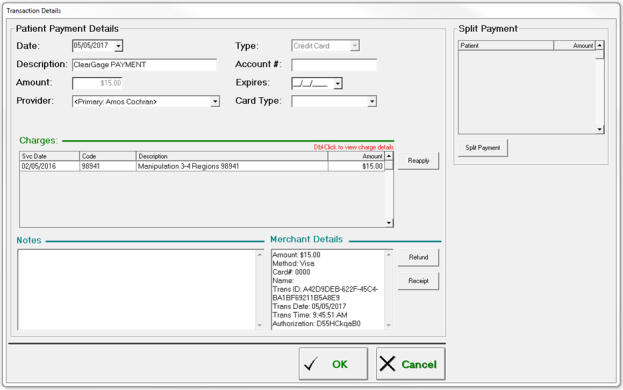
Process Single Payment
- Access a patient’s Ledger by opening Front Desk > Patient Management > Select a patient > Ledger.
- Create a new payment.
- Click New.
- Click Payment.
- Select Credit Card as payment method.
- Select ClearGage as the merchant service processor.
- Enter the amount to charge.
- Swipe the card or types the card information in the Front Desk window.
- Click POST.
- The system checks to make sure that the data is valid.
- If the data is not valid, you will see a dialog describing the nature of the problem.
- If the data is valid, the system transmits the information to ClearGage and displays a success or failure message when the sequence is complete.
Refund Previous Payment
- Access a patient’s Ledger by opening Front Desk > Patient Management > Select a patient > Ledger.
- Initiate the refund.
- Select the completed payment record.
- Click New.
- Click the Refund button from the New menu.
- The system checks to make sure that the data is valid.
- If the data is not valid, you will see a dialog describing the nature of the problem.
- If the data is valid, the system transmits the information to ClearGage and displays a success or failure message when the sequence is complete.
Set up a Patient Financing Plan
To set up a patient financing plan through ChiroTouch:
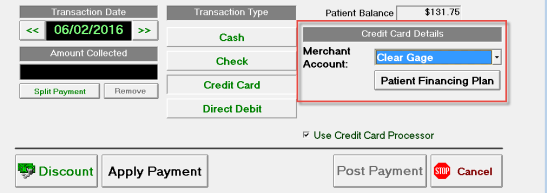
- Open the Patient Payments screen by navigating to Front Desk > Patient Mgmt > Ledger > New > Payment.
- Select the Credit Card transaction type.
- In the Credit Card Details section, select Clear Gage from the merchant account drop-down menu.
- Click Patient Financing Plan. This will launch the ClearGage portal and allow you to set up a financing plan for your patient. For more information on how to set up a patient payment plan in the ClearGage Payment Gateway, please log into your ClearGage account and visit the Resources Center.
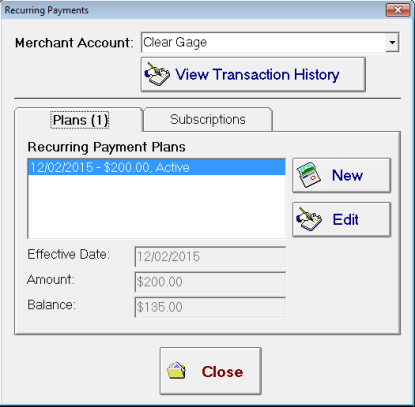
To track the status of a ClearGage patient financing plan, go to Ledger > Tools > Recurring Payments.
Set up a Recurring Payment
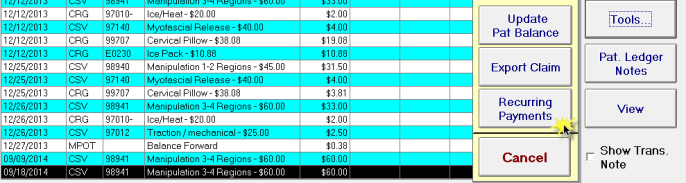
- Open the Recur Payment tab in a patient record by going to Front Desk > Patient Management > Ledger > Tools > Recurring Payment.
- Click New.
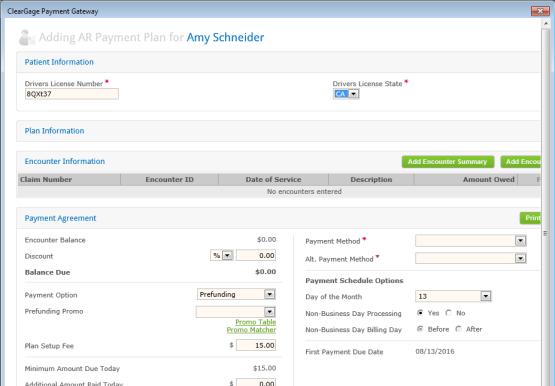
- Enter recurring payment information into the Cleargage Portal.
- Enter in payment information and click Save.
 Edit an Existing ClearGage Recurring Payment Plan
- Open the Recurring Payments tab in a patient record by going to Front Desk > Patient Management > Ledger > Tools > Recurring Payment.
- Select the recurring payment plan and click Edit.
Care Packages
Set up Care Package Payment
- Open the Care Packages tab in a patient record by going to Front Desk > Patient Management > Select a patient > Pat. Info > Care Packages.
- Create the care package.
- Click New.
- Select a recurring charge from the Available Care Packages list.
- Click OK.
- If necessary, you can edit the Charge description, Amount of charge, Effective Date: and Expiration Date: fields.
- Click Save.
- The system processes the information and displays a success or failure message when the sequence is complete.
Edit Existing Care Package
- Open the Care Packages tab in a patient record by going to Front Desk > Patient Management > Select a patient > Pat. Info > Care Packages.
- If necessary, you can edit the Charge description fields.
- Click Save.
- If necessary, you can edit the Frequency, Charge description, Amount of charge, Next charge will occur on, Charge will start on fields.
Make a One-Time Payment
- Log into the Cleargage payment gateway via https://acceleratepayments.com/login.cfm.
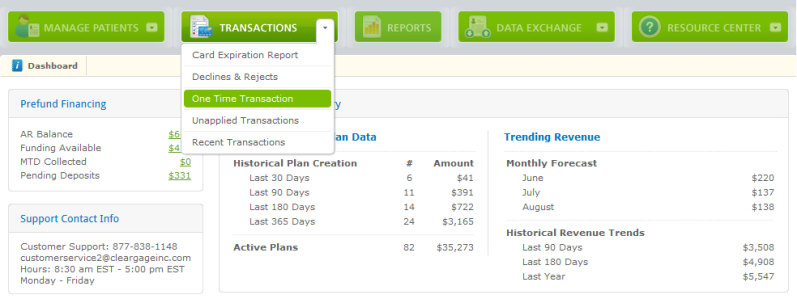
- Click Transactions.
- Click One Time Transaction.
- Fill out all required fields (notated by a red asterisk) as well as the patient's credit card information.
-
Enter the patient’s ChiroTouch account number into the Patient ID field.
You can find the patient's ChiroTouch account number in the Front Desk application.

- Click Continue.
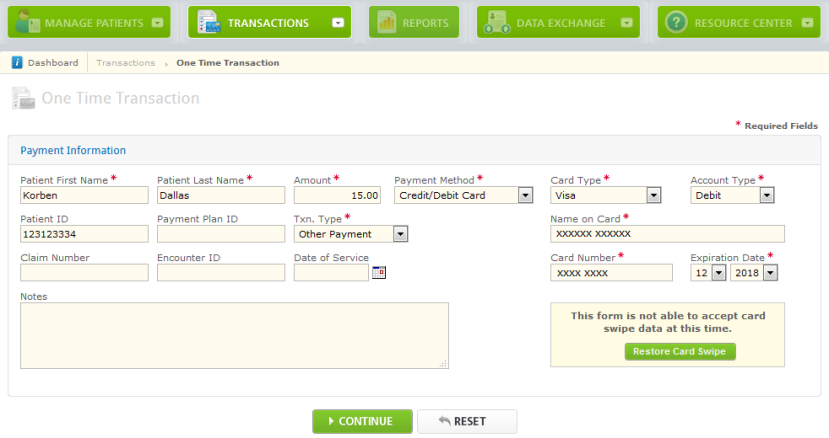
- If the information appears correct, click Submit and verify the payment has been approved.
- Open the ChiroTouch Maintenance application.
- Click Options.
-
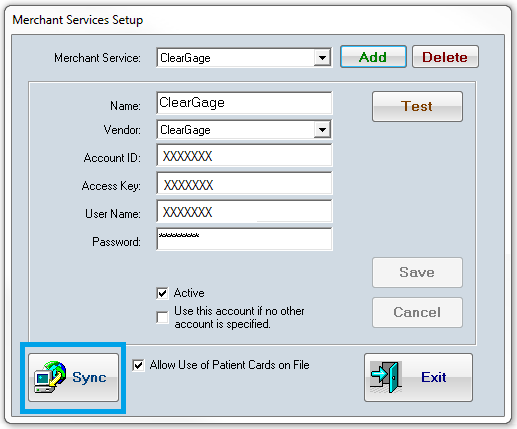
Click Merchant Services>Setup.
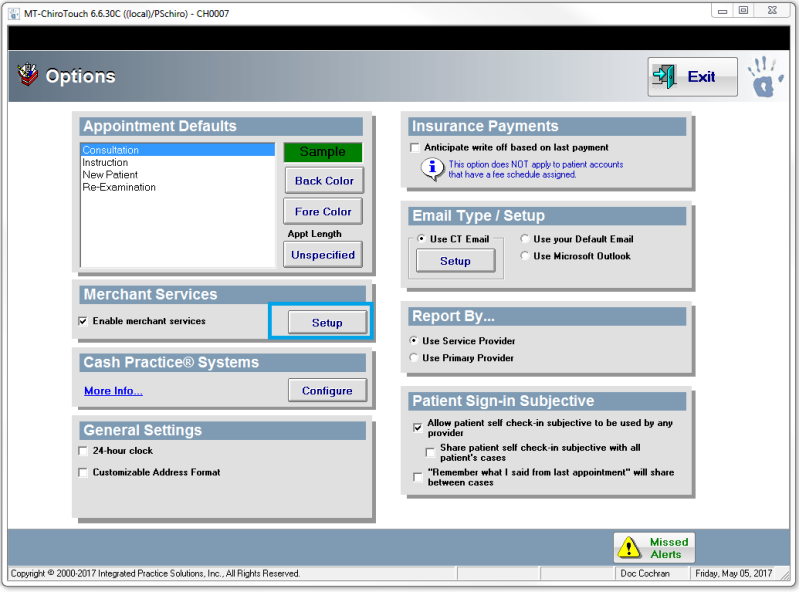
- Choose ClearGage from the Merchant Service drop-down menu.
- Click Sync.
- A "Transactions inserted" alert
appears.
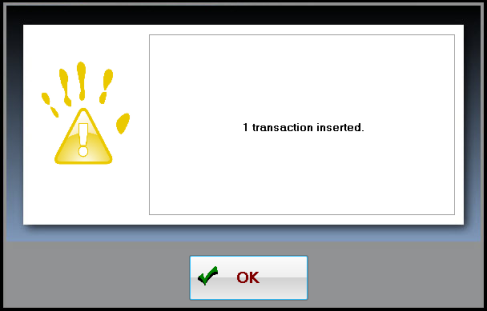
- Click Ok.
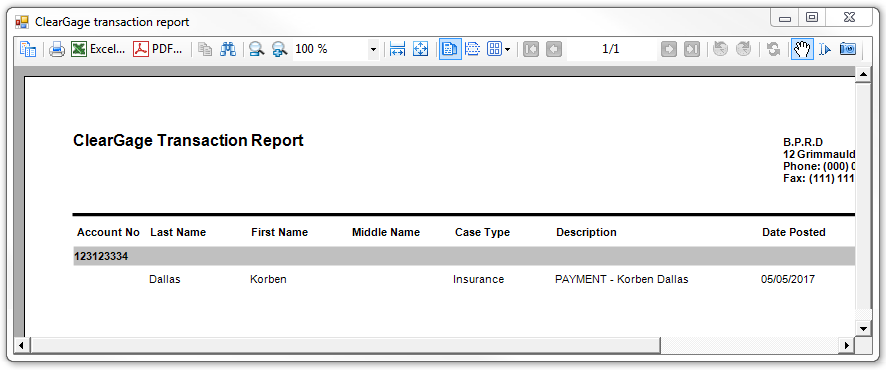
- After pressing Sync, if the "Transaction Inserted" message indicated that at least 1 transaction was inserted, the ClearGage Transaction Report will automatically pop up after clicking "OK".
-
This one-time payment is now posted to the patient's Ledger.