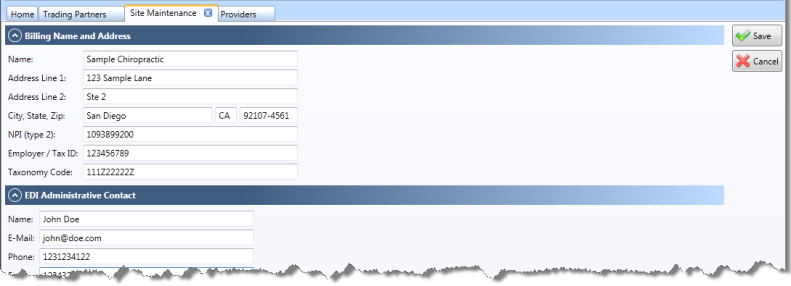
Site Information
To configure your site information, click the "Site" icon in the Accounting ribbon (Bulk Posting icon in the sidebar). Ensure that the site information contained here is up to date and correct. The only fields shown here are those relevant to EDI billing, and they are automatically copied from the Site Information section of the ChiroTouchMaintenance application.
- Review/edit your office name and address. Include City, State, and nine digit zip code
- Review/edit the organizational/facility NPI number (Type II) in the NPI field
- Review/edit the Employer/Tax ID and Taxonomy Code
- N O T E
To find the taxonomy code for your profession (chiropractor, massage therapist, etc.) navigate to http://www.wpc-edi.com/taxonomy and select your profession from the list.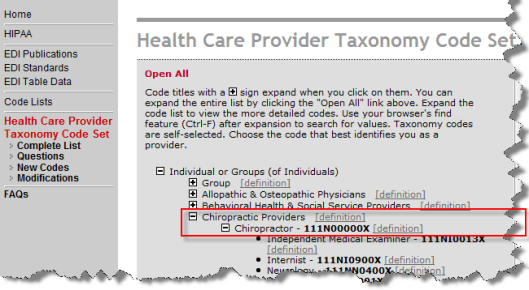
- Enter your EDI Administrative Contact information (this is the contact person in your office for EDI transmissions.)
- The e-mail must be entered in a valid e-mail format (ex: john@doe.com)
- The phone and fax fields here accept numbers only. Omit punctuation (ex: 2061231234)