View Posted Payment
To view a posted payment:
- Launch the Accounting app from CT Launcher.
- Go to Accounting > Payments > View Posted Payment.
- Enter information to filter posted payments and select your desired payment from the list.
- Click the Proceed button.
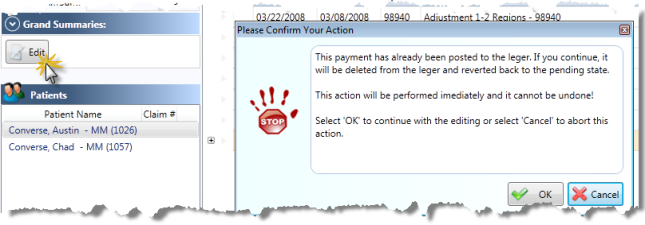
- To revert a payment back to a pending state, open a posted payment and click the Edit button below the Grand Summaries bar. You will be prompted to confirm your action.
- Once confirmed, you may edit this payment.