Patient Visit
When the doctor or front desk checks a patient into a room, the patient’s status changes from Arrived to Checked In. This change in status prompts CT Announcer to take two actions: First, CT Announcer broadcasts an announcement to the patient, stating the patient’s name and directing them to the specified room. For example, the announcement sounds as follows: “Jim, please proceed to the Exam room”.
Second, CT Announcer moves that patient from the Waiting List view to the Rooms view. In the Rooms view, the system places a check mark in the Announced column to show that the patient has been announced. The patient remains in this view until the doctor concludes the office visit. Then the doctor reassigns the patient’s status to Done.

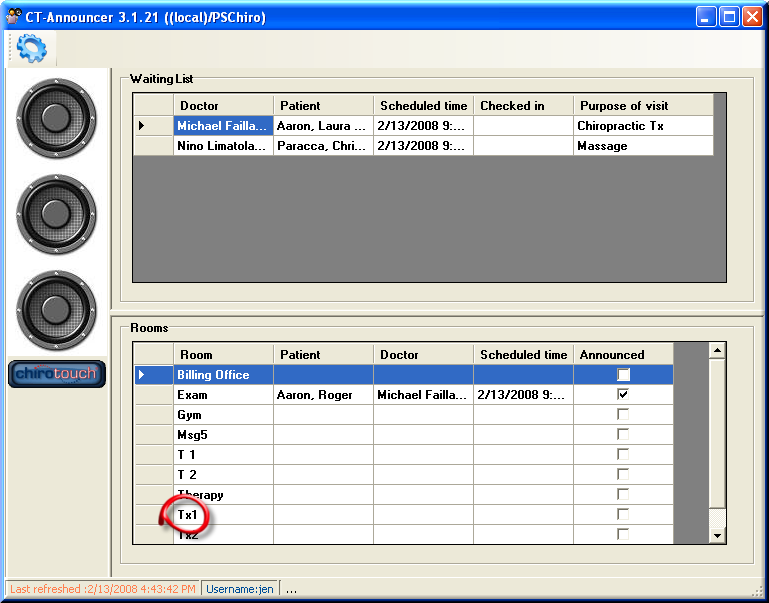
Here, the Rooms view shows that Roger has been announced and sent to the Exam room. As we can see, there are currently patients in both the Exam room and Treatment Room 1 (Tx1).
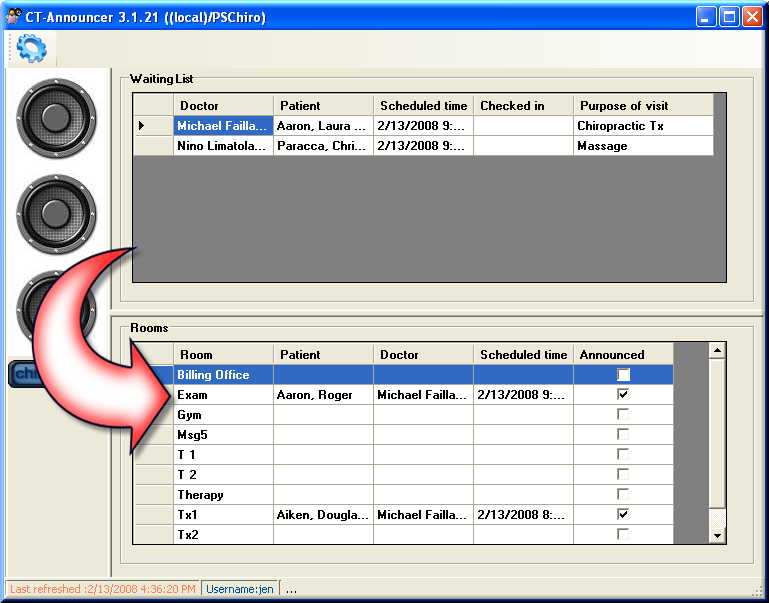
Upon conclusion of an appointment, the patient is moved to the virtual “Done” room. CT Announcer updates immediately and removes the patient from the “Rooms” view. No announcements are made, and the patient proceeds to the front desk to discuss billing, and to schedule their next visit.
Because Douglas has completed his appointment and is no longer in Treatment Room 1, the patient is removed from the screen, reopening the room for assignment.