Viewing Appointments and Events in the Work Area
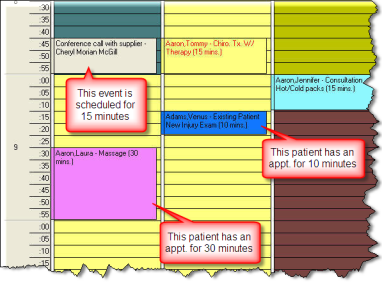
Here are examples of individual appointments and events in the work area. The appointments take up segment spaces as determined by the appointment length. The appointment color is determined by the appointment purpose. For consistency, all events are color coded white.
Notice how the appointment length corresponds to the segments in the time column.
When scheduling an appointment or event that is outside of the provider’s scheduled hours, the system will adjust and expand the work area to include these appointments or events. It is sometimes necessary to make an exception with your scheduled hours without having to adjust the calendar. However, be sure to confirm the validity of the appointment to prevent scheduling errors or missed appointments.