Objective 2: Clinical Decision Support Rules
| What the objective requires | What that means for you | Are you excluded from having to do this? | ||
|---|---|---|---|---|
| Use clinical decision support to improve performance on high-priority health conditions. |
In order for EPs to meet the objective they must satisfy both of the following measures unless an exclusion applies: |
|||
|
Measure 1: Implement five clinical decision support interventions related to four or more clinical quality measures at a relevant point in patient care for the entire EHR reporting period. Absent four clinical quality measures related to an EP’s scope of practice or patient population, the clinical decision support interventions must be related to high priority health conditions. |
No available exclusion | |||
|
Measure 2: The EP has enabled and implemented the functionality for drug‐drug and drug‐allergy interaction checks for the entire EHR reporting period. Having an active CTRx account provides you with the ability to automatically check for potentially adverse drug-drug and drug-allergy interactions. You have to purchase CTRx and keep the service active throughout your entire reporting period. |
Exclude for any EP who writes fewer than 100 medication orders during the EHR reporting period. |
 Measure 1: Five Active CDS Rules
Your five default clinical decision support rules are automatically tracked in your ChiroTouch software therefore you are automatically compliant with this measure as long as you enabled your meaningful use prior to the start of reporting.
CRITICAL:
If you edit or deactivate any of the five default CDS rules that the software configured automatically for you, then you will no longer be compliant with this measure.
Add New CDS Intervention Rule Alerts
Although your ChiroTouch software creates five default rules automatically, you can add new CDS intervention rules if you wish.
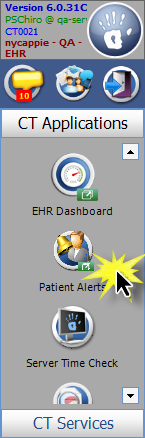
- Open the Patient Alerts application from the ChiroTouch launcher.
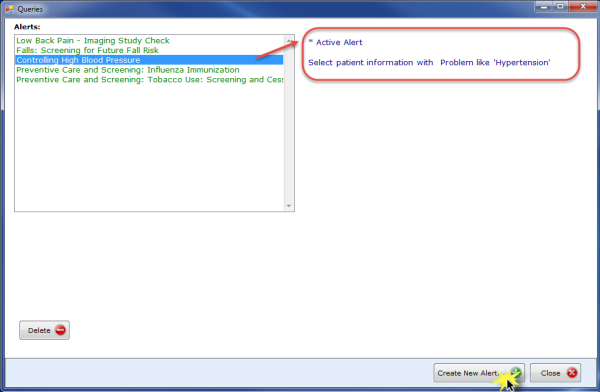
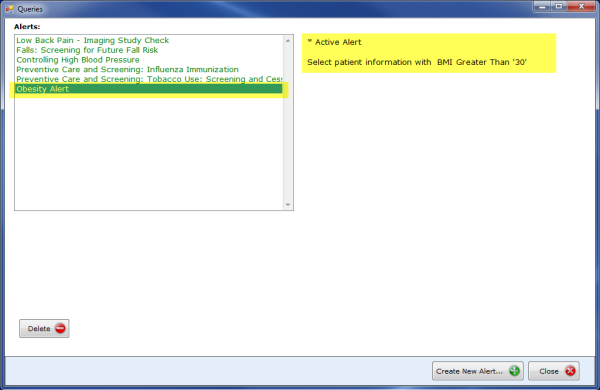
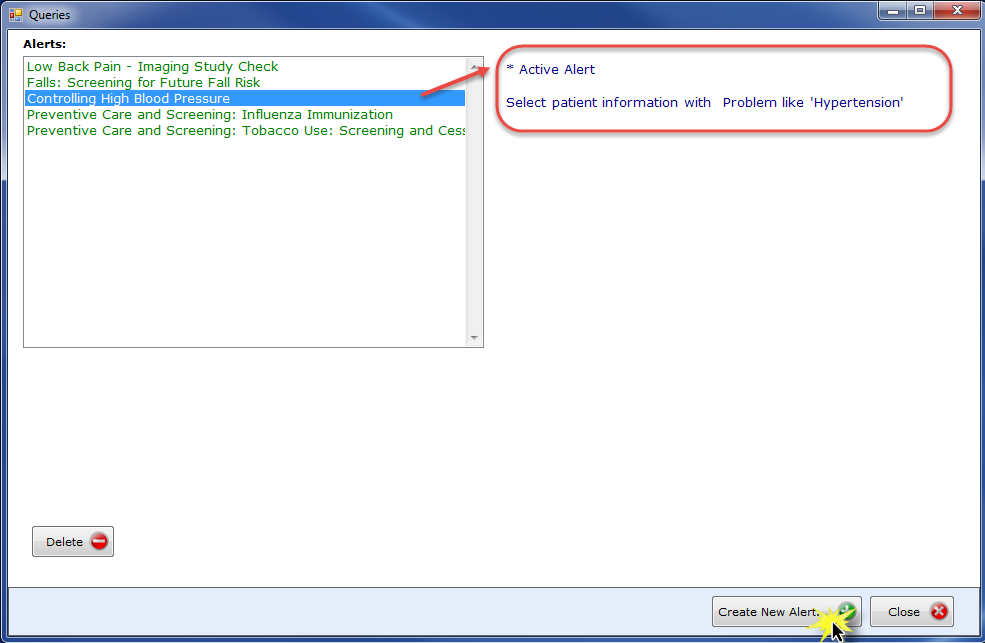
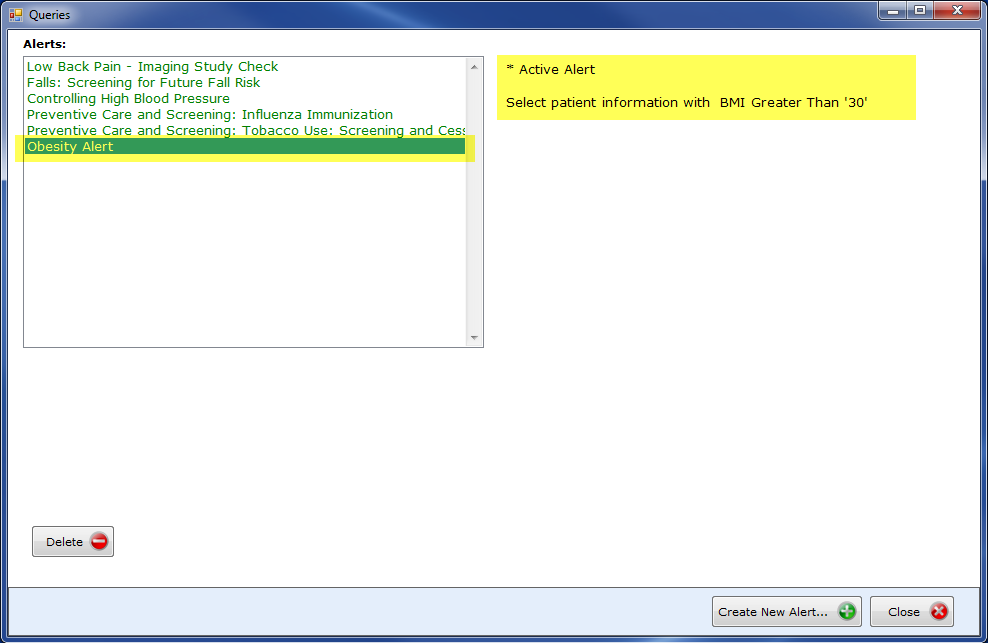
- The software will display a list of active and inactive alerts in the Queries window. Click an alert to view information about the CDS rule and to see whether the alert is active or inactive.
- Click the Create New Alert button.
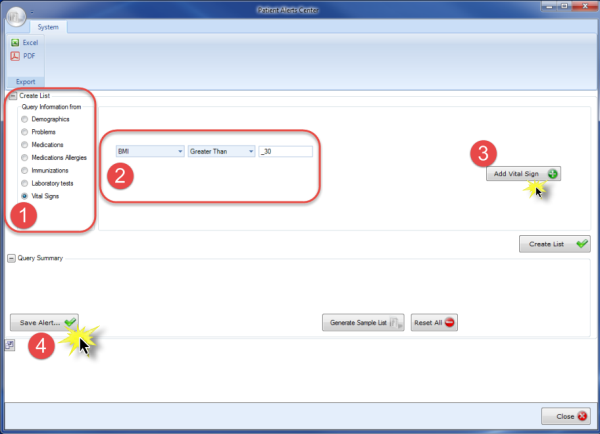
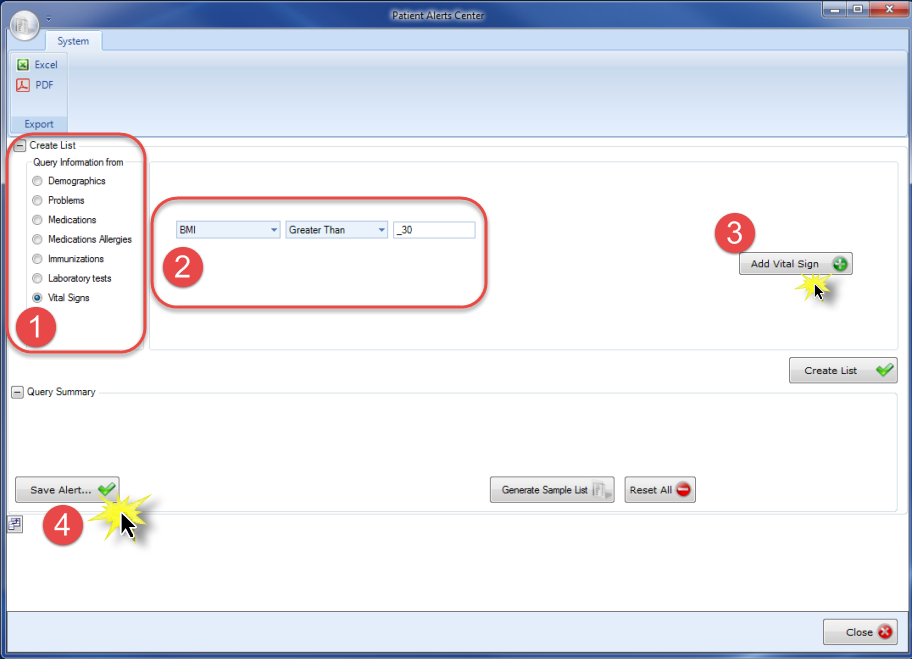
- In the Patient Alerts Center window, select the option that corresponds to the type of intervention rule alert you wish to set. Set the values that will trigger the alert using the drop-down menus and click the Add... button to the right of the drop-down menus. Finally, click the Save Alert button.
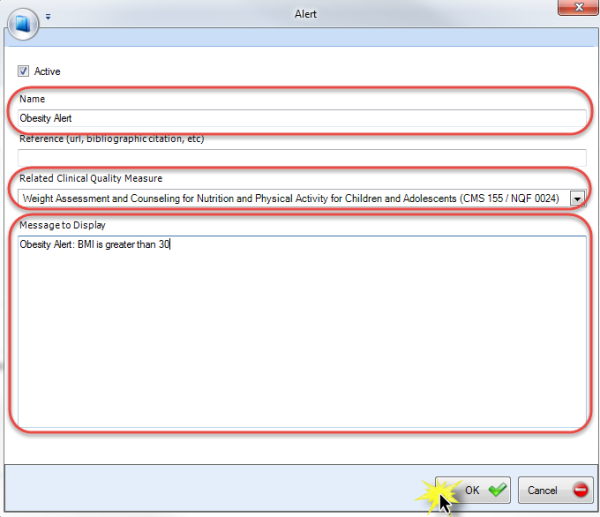
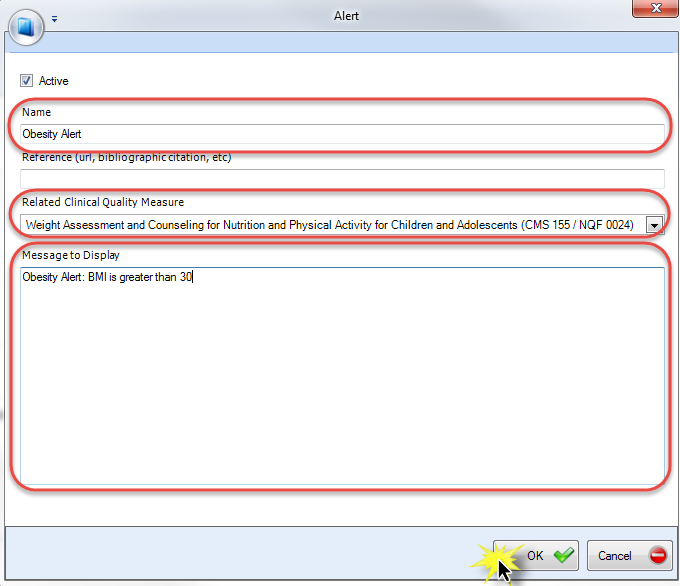
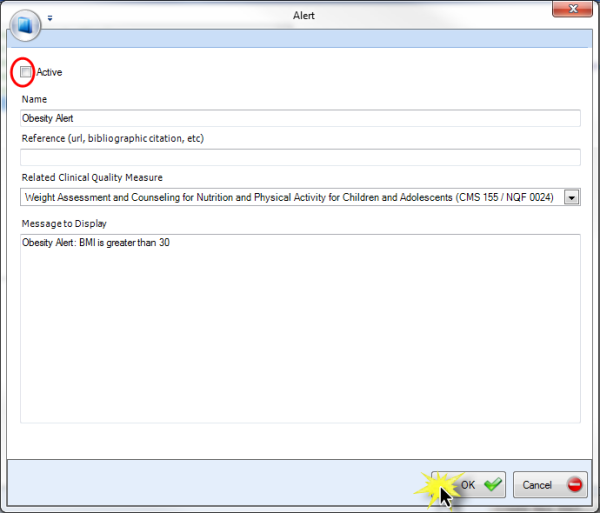
- The software will open the Alert window. There, do the following:
- Enter a name for your alert.
- Select an appropriate choice from the Related Clinical Quality Measure drop-down menu—remember that your five alerts must relate to four individual Clinical Quality Measures.
- Enter the text for your alert. (The Reference field is optional.)
- Click the OK button to finalize the creation of your alert.
- The software will list your new alert in the Queries window.
When you load a patient record into the Meaningful Use Portal that contains information meeting alert criteria, the software will display the alert in the Alerts tab.
Edit and Deactivate CDS Intervention Rule Alerts
Edit an Alert
- Double-click an alert in the Queries window.
- The software will open the Alert window; edit the alert information displayed in the fields and drop-down menu.
- Click the OK button.
Deactivate an Alert
CRITICAL:
If you edit or deactivate any of the five default CDS rules that the software configured automatically for you, then you will no longer be compliant with this measure.
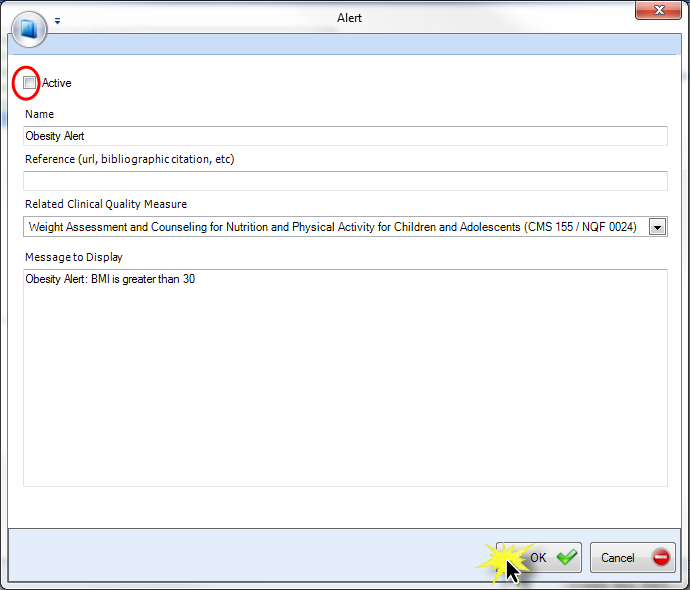
- Clear the Active check box in the Alert window.
- Click the OK button.
- Click Next to move to the next measure or Cancel to exit the wizard.
 Measure 2: Drug-Drug and Drug-Allergy Check Enabled
These checks are automatically enabled when you purchase the CTRx service. You can check that your settings are correct by opening the CTRx service from the Patients application.
IMPORTANT:
You must have this functionality enabled and implemented for your entire reporting period. To do so, you must purchase the CTRx service before you begin your reporting period. If CTRx is enabled before your reporting period, you are automatically compliant. When you enable CTRx, drug-drug and drug-allergy check functionality is also enabled.
- Open the Patients application from the ChiroTouch Launcher.
- Search for a patient.
- Load a patient record into the Meaningful Use Portal by double clicking it from the search results.
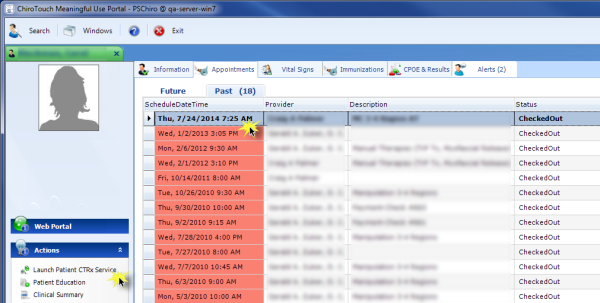
- From within the Appointments tab, click the Past tab.
- Click to select the appointment that took place on a date that was within your reporting period during which you prescribed medication.
- In the Actions menu, click Launch Patient CTRx Service.
- After synchronization, the software will open the CTRx Service window. Click Options in the navigation bar.

NOTE:
The patient must have a past appointment in order for you to enter their CTRx account page and launch the CTRx service.
Use the Find button to search by patient last name, first name or phone number; or, click the Today's Patients button to generate a list of all patients seen in your office today.
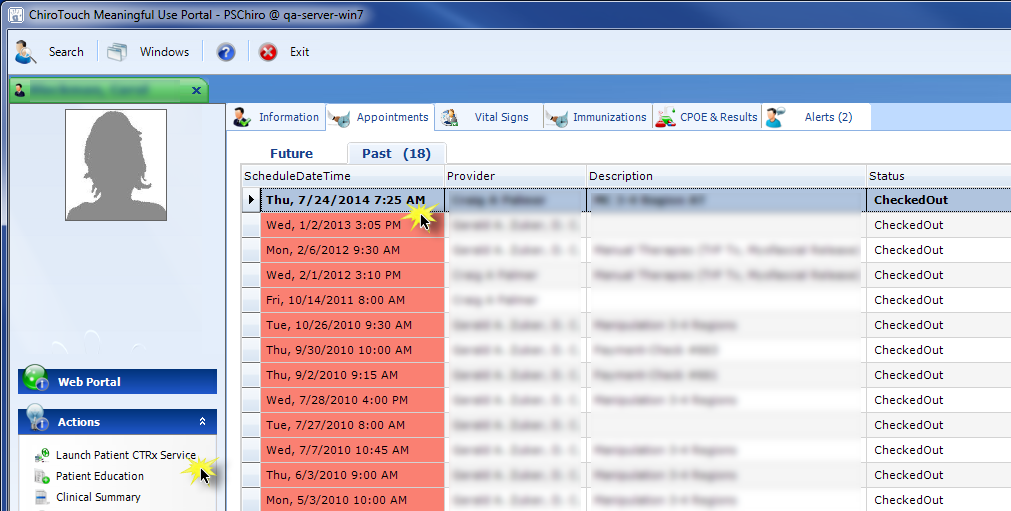

- Click Preferences -- practice to set options for your practice.
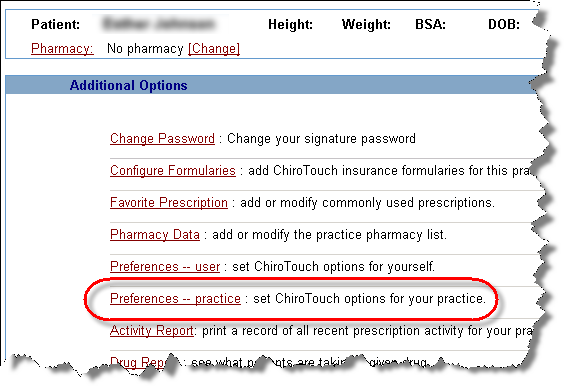
- Check that the When checking for drug-drug interactions, show: and When checking for drug-allergy interactions, show: drop-down menus contain the following respective selections:
- When checking for drug-drug interactions, show:All interactions
- When checking for drug-allergy interactions, show:All warnings

These respective configurations enable drug-drug and drug-allergy checks within your system. When these checks are enabled, the software will return interaction alerts where interactions are possible. When you encounter these alerts, select an option from the drop-down menu and click Continue to continue.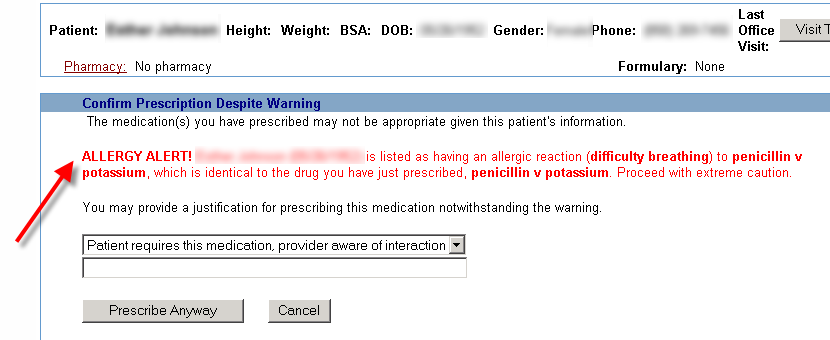
How to do it in ChiroTouch
You must use the Wizard button in the EHR Dashboard to complete this objective.
NOTE:
This measure is not fully tracked within your EHR software, but we have provided the Security Risk Analysis template, the Sanction Policy template, and the Information System Activity Review template in the Meaningful Use Wizard to help you complete the actions required for compliance in your practice.
- Open the EHR Dashboard from the ChiroTouch Launcher.
- Click the Wizard button in the menu ribbon to launch the Meaningful Use Wizard.
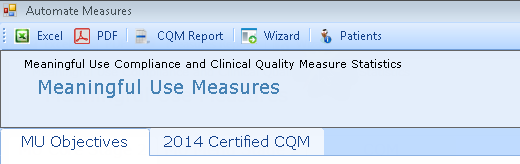
- In the Meaningful Use Wizard, click Protect Electronic Health Info from the Objective Measures navigation pane on the left.
- Click one of the three templates to download it. Fill out the template and keep the completed form on file in your records.
- C R I T I C A L
You are responsible to print and complete each template and to keep a copy on file in your records. In the event of an EHR audit, the auditors will require you to provide the completed templates to prove your compliance with this measure. Therefore you should not proceed to the next step until you have actually completed the work required for each template. - Select the Completed check box next to the template you completed.
- Click the Apply Changes button.
- Click the Finish button to close the Meaningful Use Wizard.
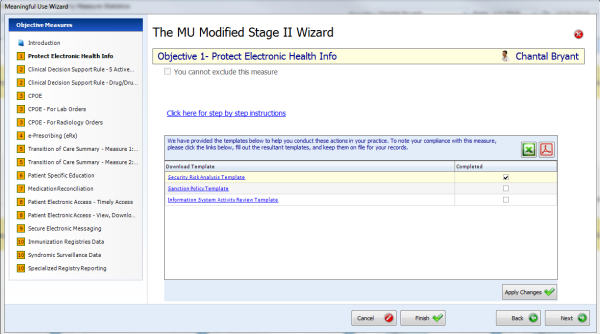
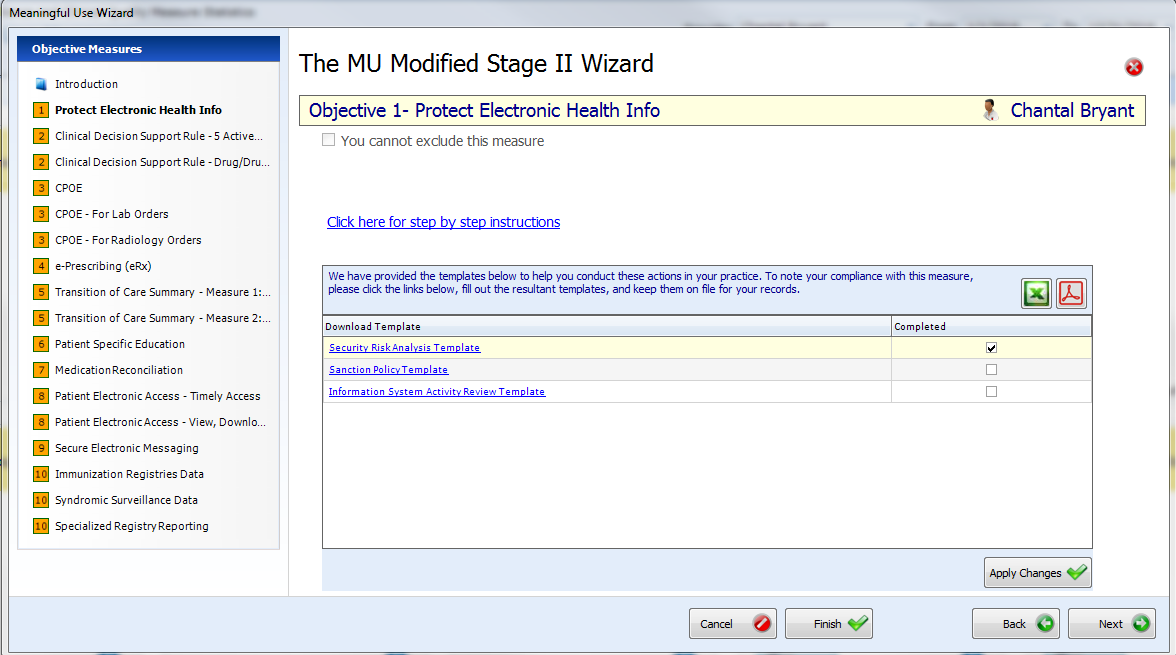
This objective will appear compliant in the EHR Dashboard once all three templates are marked as completed. You are responsible for completing and filing each template.
Attestation Requirements

Measure 1: All EPs must attest YES to implementing five clinical decision support interventions.
Measure 2: EPs who write fewer than 100 medication orders during the reporting period may exclude drug-drug and drug-allergy checks.
Definition of Terms
Clinical Decision Support – HIT functionality that builds upon the foundation of an EHR to provide persons involved in care processes with general and person-specific information, intelligently filtered and organized, at appropriate times, to enhance health and health care.
Additional Information
If none of the CQMs are applicable to an EPs scope of practice, the EP should implement CDS interventions that he or she believes will drive improvements in the delivery of care for the high-priority health conditions relevant to their patient population.
CMS will not issue additional guidance on the selection of appropriate clinical decision support rules for Stage 2 Meaningful Use. This determination is best left to the EP taking into account their workflow, patient population, and quality improvement efforts.
The need for inclusion of attributes for each CDS intervention also applies to drug-drug and drug-allergy interventions as well as interventions based on self-generated evidence.
Drug-drug and drug-allergy interaction alerts are separate from the 5 clinical decision support interventions and do not count towards the 5 required for this first measure.
In order to meet this objective and measure, an EP must use the capabilities and standards of CEHRT at 45 CFR 170.314(a)(8) and (a)(2).