Patient Alerts
Alerts are great tools to remind your staff, doctors, and patients of certain issues. Alerts are displayed throughout ChiroTouch. The alerts shown in CT Sign-In are patient alerts, as they are messages transmitted to the patient.
Patient alerts are created in ChiroTouch Front Desk. For instructions on creating alerts, Alerts Tab
If you have chosen to obtain subjective complaints from the patient, the system will proceed to the subjective screen. Based on your selected screen type for the patient, the system will display the appropriate subjective form.
After the patient has completed the subjective screen, the patient will touch the Finish button to proceed. If the patient has no complaints to discuss, the patient will touch the No Symptoms Today button. If the patient is using the Wellness Visit form and has no complaints to discuss, the patient will touch the No Complaints button. If the patient is using the Workers Comp Case form, the patient must complete the questionnaire.
After finishing with the subjective analysis, the system will revert back to the initial display boxes of the patients’ names and appointment information; however, the patient’s box that was once yellow is now green.
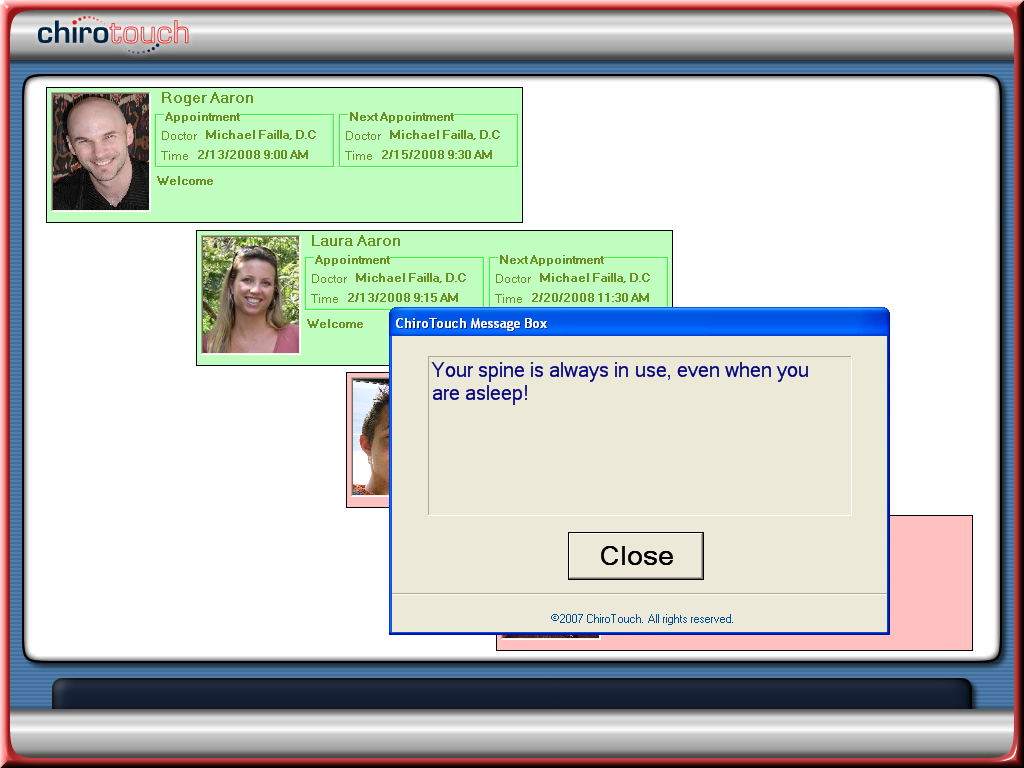
The special message created in the Control Panel is now displayed to the patient(s) in a pop-up dialog box. Because there are no more alerts to show the patient, and because the patient has already completed the subjective screen, the system will now announce to the patient “Welcome to the chiropractic center” or likewise. The patient is now considered “arrived” and moved into a waiting room queue (or checked in to a selected room). The patient will remain in this queue until the CT Announcer application calls the patient to the next available exam table or treatment room.
After the patient closes the message box, the system will continue to display the patient boxes for a few seconds; then it will revert back to the main CT Sign-In screen. The system is then ready for the next incoming patient to approach the computer to sign in.